
Download uBlock Origin – free ad blocker, privacy shield, lightweight browser tool
uBlock Origin is a free, open‑source content‑filtering extension that removes intrusive advertisements, blocks tracking scripts, and defends you against malicious domains while you surf the web. Unlike many ad‑blocking solutions that rely on a single filter list, uBlock Origin supports the full Adblock Plus syntax, custom filter rules, and a “default‑deny” mode that stops every third‑party request unless you explicitly allow it. The result is a faster, cleaner browsing experience that protects both your privacy and your device’s performance. Whether you use Chrome, Firefox, Edge, Safari, or any Chromium‑based browser, uBlock Origin delivers a lightweight, CPU‑friendly solution that works out of the box and can be fine‑tuned for power users.
Feature Overview – What Makes uBlock Origin Stand Out
- Broad filter support – native Adblock Plus syntax, EasyList, EasyPrivacy, Malware Domains, and more.
- Advanced “default‑deny” mode for complete third‑party request blocking.
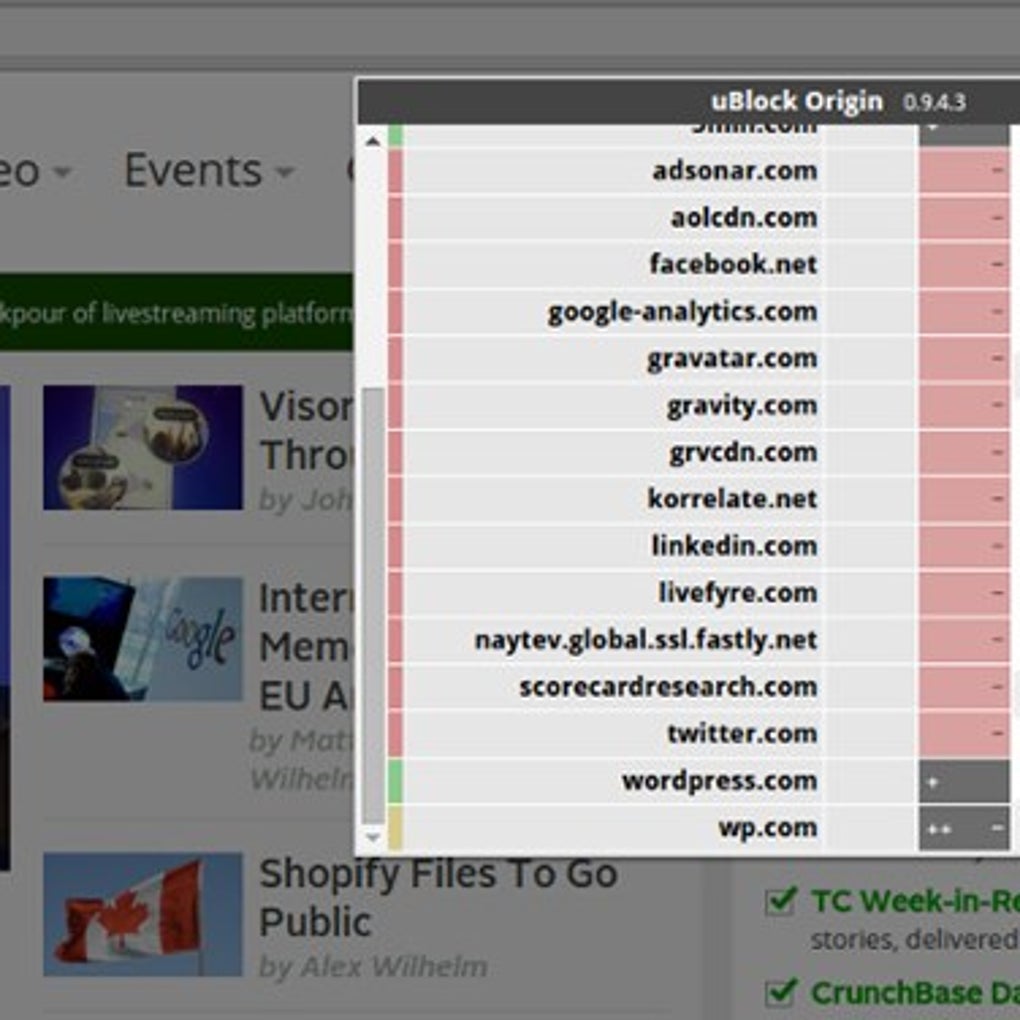
- Dynamic filtering similar to NoScript, allowing per‑site script control.
- Low memory and CPU footprint – loads only the filters required for the current page.
- Regular automatic updates of filter lists to keep up with new ad‑tech and threats.
- Cross‑browser compatibility – Chrome, Firefox, Edge, Safari, Chromium‑based browsers, SeaMonkey, Pale Moon.
- Intuitive UI – single‑click enable/disable, per‑site whitelist, and real‑time request logging.
- Open‑source and community‑maintained – transparent development and rapid bug fixes.
The combination of these features gives uBlock Origin a reputation as one of the most powerful yet lightweight blockers available. Its “dynamic filtering” engine can replace the functionality of separate extensions like NoScript and Ghostery, letting you manage scripts, frames, and cookies from a single pane. The built‑in filter lists cover a massive range of ad networks, tracking services, and known malware domains, which means you get comprehensive protection without having to manually curate dozens of lists. For users who demand granular control, the custom rule editor lets you write precise CSS selectors or URL patterns to block or allow content on a case‑by‑case basis. Meanwhile, casual browsers benefit from the default settings that block the majority of unwanted content immediately after installation.
Installation & Usage – Getting uBlock Origin Up and Running
Installing uBlock Origin is straightforward on any supported browser. Visit the official extension store for Chrome, Firefox, Edge, or Safari, search for “uBlock Origin,” and click “Add to [Browser].” The browser will request permission to read and change data on the sites you visit – this is essential for the blocker to intercept network requests. Once approved, the extension icon (a shield) appears next to the address bar.
After installation, uBlock Origin is ready to protect you instantly. The default filter sets – EasyList, EasyPrivacy, and Malware Domains – are enabled, so most ads, trackers, and malicious scripts are blocked without further configuration. Clicking the shield icon opens a compact popup where you can:
- Toggle the blocker on or off for the current site.
- Access the “Dashboard” to view detailed statistics, filter lists, and custom rules.
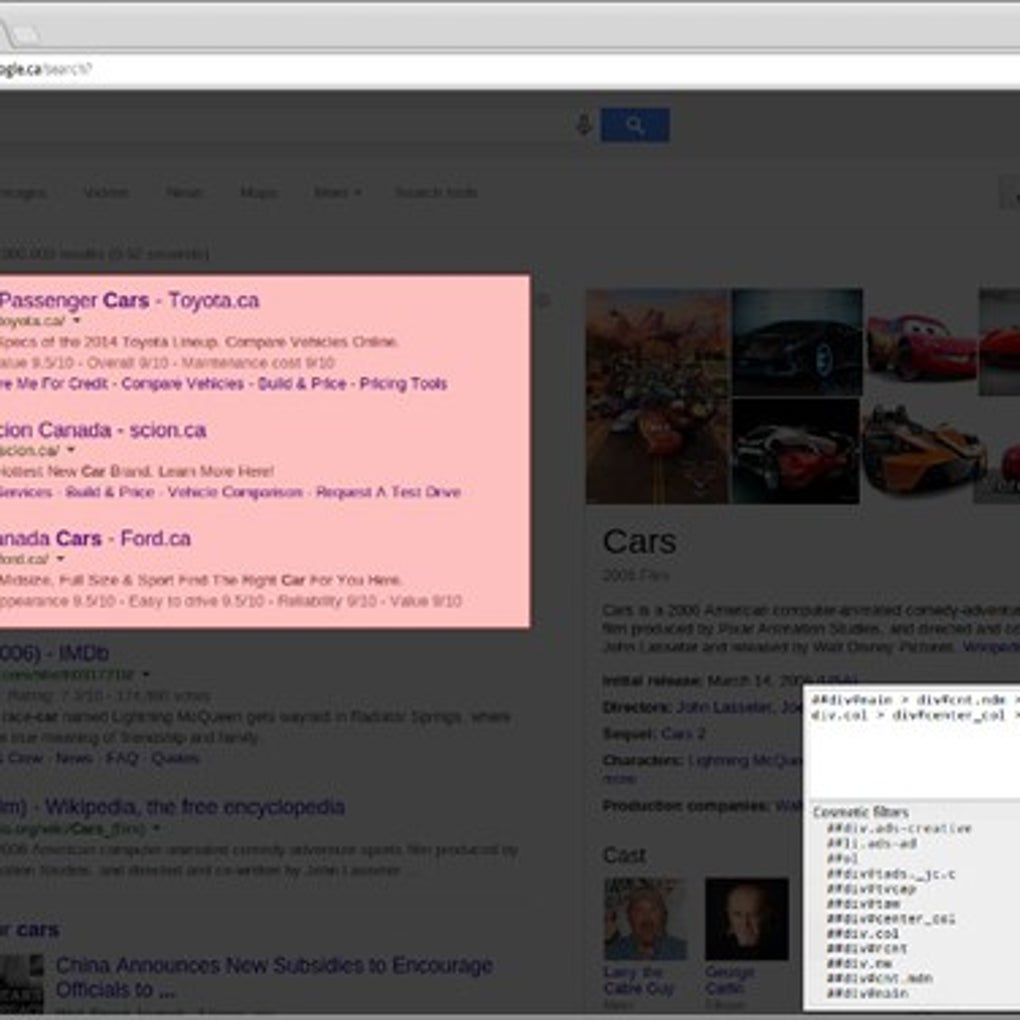
- Enter “Element Picker” mode to manually select and hide unwanted page elements.
- Open the “Logger” to see every request the browser makes and which ones are blocked.
For power users, the “Settings” tab offers a wealth of options: enable “default‑deny,” configure cosmetic filters, import/export filter lists, and set up per‑site whitelists. Changes take effect immediately, and the extension updates its filter lists automatically in the background, usually once a day. If you ever need to disable uBlock Origin temporarily – for instance, to troubleshoot a website – simply click the shield and select “Disable on this site.” The flexibility of this interface makes it suitable for both novices who want a set‑and‑forget solution and advanced users who wish to craft a highly customized browsing environment.
Compatibility & System Requirements – Where uBlock Origin Works Best
uBlock Origin runs on all major desktop and mobile browsers that support WebExtensions. This includes Google Chrome (version 57+), Microsoft Edge (Chromium‑based, version 79+), Mozilla Firefox (version 57+), Safari (macOS 13+ with the new extension format), and Chromium‑based browsers such as Opera, Vivaldi, and Brave. It also works on Firefox‑derived browsers like SeaMonkey and Pale Moon, though some advanced features may be limited in legacy forks.
Because uBlock Origin is an extension rather than a standalone application, it inherits the operating system compatibility of its host browser. Whether you run Windows 10/11, macOS Ventura, Linux distributions, or iOS/Android browsers that support extensions (e.g., Firefox for Android), the blocker will function as long as the browser version meets the minimum requirement. The extension’s lightweight design ensures it consumes only a few megabytes of RAM and a negligible amount of CPU even with multiple filter lists active, making it ideal for older hardware, low‑end laptops, and mobile devices where resources are at a premium.
Users concerned about privacy should note that uBlock Origin does not collect personal data, nor does it communicate with external servers aside from fetching filter list updates. The extension’s source code is publicly available on GitHub, and every release is signed by the developer, guaranteeing authenticity and security. In environments with strict IT policies, the extension can be deployed silently via group policies or enterprise‑level extension management tools, ensuring a consistent ad‑blocking posture across an organization.
Pros & Cons – A Balanced Look at uBlock Origin
Pros
- Completely free and open‑source – no hidden fees or premium tiers.
- Extremely low CPU and memory usage compared to competing blockers.
- Supports a vast array of filter lists and custom rules for maximum flexibility.
- Dynamic filtering mode provides NoScript‑like script control without extra extensions.
- Automatic daily updates keep ad‑tech and malware signatures current.
- Transparent development with frequent community contributions and rapid bug fixes.
- Works across all major browsers and platforms, including mobile.
Cons
- Advanced features (default‑deny, dynamic filtering) have a learning curve for beginners.
- Occasional false positives may block legitimate site functionality, requiring manual whitelisting.
- Safari support is newer and may lack some of the granular controls available in Chromium/Firefox versions.
- No built‑in VPN or DNS‑level protection – relies solely on browser‑level filtering.
- While lightweight, extremely large custom filter sets can still impact performance on very old hardware.
Frequently Asked Questions
Is uBlock Origin safe to use?
Yes. uBlock Origin is open‑source, regularly audited by the community, and does not collect any personal data. The only network traffic it initiates is to download filter list updates from reputable sources.
Can I use uBlock Origin on mobile devices?
Absolutely. Firefox for Android supports the extension, and on iOS you can install it via the Safari Extensions store (iOS 13+). The mobile version offers the same core filtering capabilities as the desktop version.
Why am I still seeing some ads after installing uBlock Origin?
Occasionally a website may use “anti‑ad‑block” scripts that bypass standard filters. You can manually add the site to the whitelist, or enable the “Dynamic filtering” mode to block those scripts. Updating your filter lists also helps keep new ad formats blocked.
Does uBlock Origin replace my need for an antivirus?
No. While uBlock Origin blocks many malicious domains and scripts, it is not a full‑featured antivirus solution. Keep a reputable antivirus program installed for comprehensive protection against malware, ransomware, and other threats.
How do I create custom filter rules?
Open the uBlock Origin dashboard, go to the “My filters” tab, and add rules using the standard syntax (e.g., ||example.com^$script to block all scripts from example.com). Save the changes and the new rules take effect immediately.
Conclusion – Why You Should Download uBlock Origin Today
In an era where online advertisements are increasingly invasive and tracking scripts silently harvest personal data, uBlock Origin offers a robust, free, and lightweight defense that works across virtually every browser you use. Its extensive filter ecosystem, combined with an advanced dynamic filtering engine, delivers a browsing experience that is both faster and safer without compromising system resources. Whether you’re a casual surfer who simply wants a cleaner page or a privacy‑conscious power user needing granular control, uBlock Origin adapts to your needs.
Ready to reclaim your online space? Click the download button for your preferred browser, install the extension, and enjoy an ad‑free, privacy‑protected web instantly. Join millions of satisfied users who have made uBlock Origin their default content blocker—your browser, your rules, your privacy.







